Walkthrough forthcoming
Activities
A closer look at moving from a written description to editable criteria, then evaluating those criteria against the forecast.
The detailed explanation and recorded walkthrough are being prepared.
Personal project In development
Weather, with a reason to get outside. A native iOS app that brings the forecast, your Activities, and weather radar into one place.
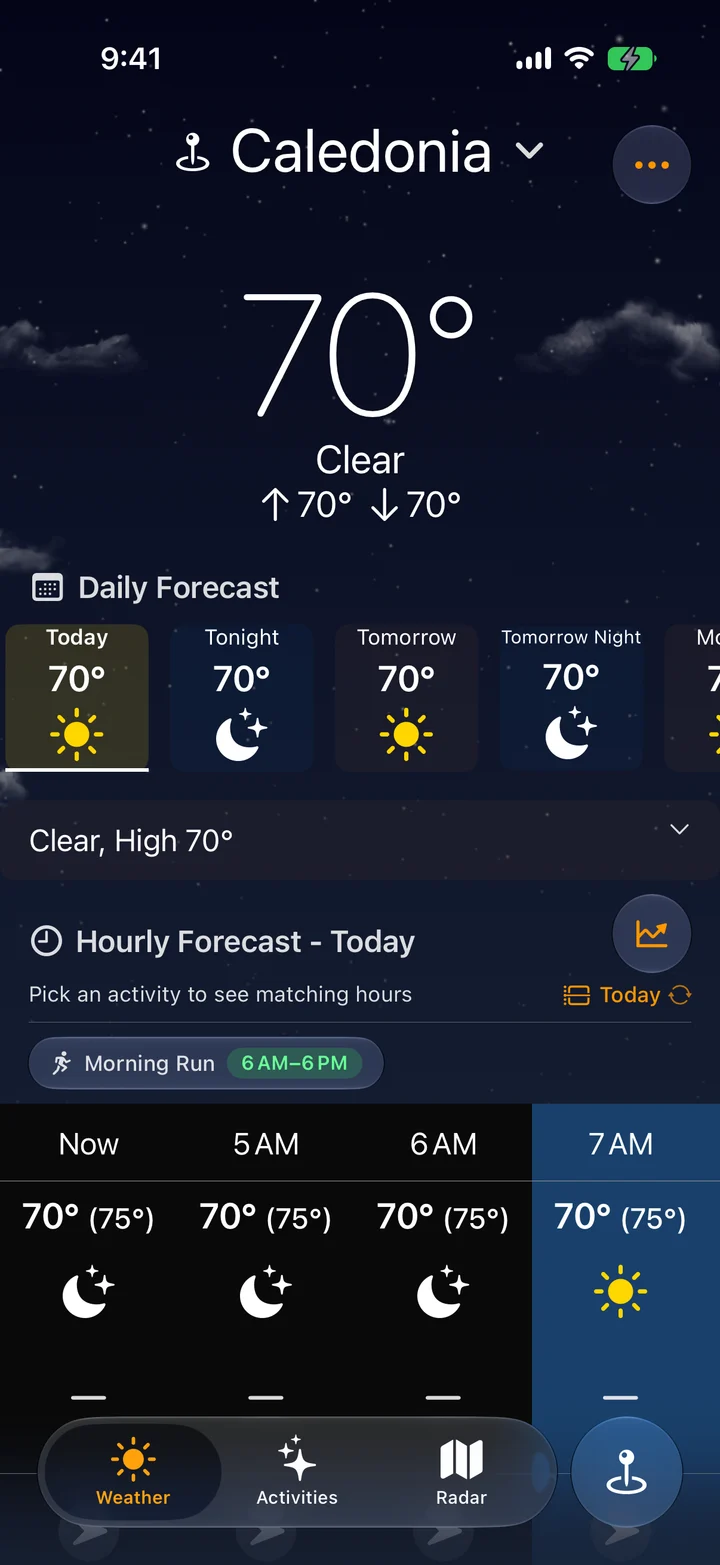
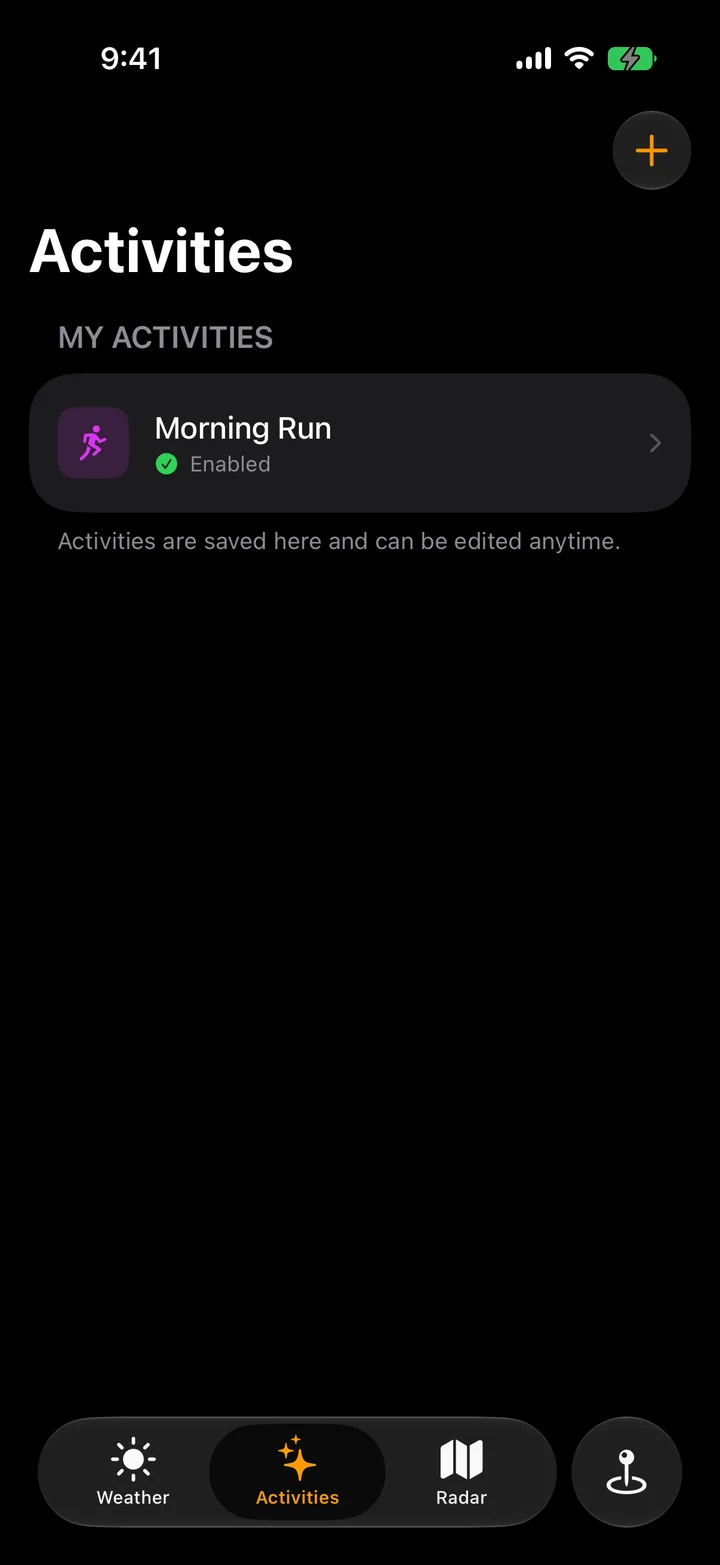
Screens from the app in development. The interface may change before release.
From words to weather criteria
An Activity starts with what you want to do and the conditions that suit it. Apple’s Foundation Models draft weather criteria from your description. You can review and edit those criteria.
Swift code then evaluates the criteria and optional schedule against forecast data to produce Recommendations: suggested time windows and explanations of the match. This evaluation is deterministic. The model does not generate the forecast.
I’m building Klimate across the interface and the underlying systems, with particular attention to the handoff between model output, user control, and predictable app behavior.
Walkthrough forthcoming
A closer look at moving from a written description to editable criteria, then evaluating those criteria against the forecast.
The detailed explanation and recorded walkthrough are being prepared.
Inside the implementation
How decoded images, frame retention, and a shared memory budget keep radar readable as the timeline advances.
Read the Radar walkthroughRendering over time
Radar animation has two jobs: show precipitation moving, and keep the map readable while the next image loads. I built RadarKit, the Swift package behind Klimate’s radar, around that handoff.
The recording above shows the map and timeline in use. Here is how the renderer prepares and retains the images behind that experience.
The displayed frame stays retained while its replacement is prepared. The first frame can fill in progressively.
01 / Rendering
Inside the contiguous US grid coverage, the direct renderer draws shared CGImage objects into MapKit. That avoids cropping each map tile, encoding it as PNG, and having MapKit decode it again.
Geography and memory still matter. The renderer can combine grids with tiles at the coverage boundary, or use tiles alone outside it and when the decoded working set will not fit.
02 / Frame retention
The first frame paints as grids arrive, then fills the remaining regions. For a different timestamp, the direct renderer keeps the previous frame until every required visible grid is decoded or confirmed empty. It then swaps the image set atomically.
An empty grid is a valid result: the new frame must clear precipitation that was visible at the previous timestamp. A failed download cannot be treated as clear sky.
03 / Caching & memory
Raw grid PNGs, decoded grids, and fallback tiles have separate cache budgets. The displayed frame holds strong references to its decoded images, so eviction from NSCache does not remove the pixels it needs to draw.
Those retained images count against the decoded-image budget. Lookahead is limited by the remaining capacity; if a complete working set cannot fit, the renderer falls back to tiles. Retention improves continuity, but it costs memory that cannot also be spent preparing future frames.
This excerpt from tryPinDesiredFrame() permits a first partial paint and additions to the same timestamp. A different timestamp needs complete visible coverage before it can replace the current frame.
let settledCount = settledGrids.count
let isComplete = settledCount == visibleGrids.count
let pinnedFrameID = renderer.pinnedFrameID
let nothingPinned = pinnedFrameID == nil
let extendsCurrentPartialPin = pinnedFrameID == frame.id && settledCount > 0
guard isComplete || (nothingPinned && settledCount > 0) || extendsCurrentPartialPin else { return }
Source: my RadarKit 0.9.0 implementation, DirectGridRendererController.swift. The surrounding method collects decoded and known-empty grids before this check, then merges or replaces the retained frame.